


Guides · FDA 510(k) · regulatory · market research
How to Search the FDA 510(k) Database: A Step-by-Step Guide With Examples
How to search the FDA 510(k) database by product code, applicant, device name and date, read a summary, find predicates and use clearances for sales research.
The FDA 510(k) database, the public list of every medical device the FDA has cleared through premarket notification since 1976, is one of the many data sources XO Medtech has access to that help power its sales intelligence platform, the most advanced of its kind for medical device contract manufacturers, CDMOs and suppliers. You can manually search the 510(k) database at accessdata.fda.gov by device name, applicant company, product code, 510(k) number or decision date, and each record shows who cleared what and when, and usually links a summary PDF that names the predicate device. This guide walks through each search, shows how to read a record, and explains how founders use it for regulatory strategy and how CDMOs and suppliers use it to find device companies that just reached a manufacturing milestone.
TL;DR
- Search by product code first. Device names are inconsistent, and an "infusion pump" name search catches only 303 of the 849 records filed under the infusion pump product code (openFDA, Nov 2026 data).
- The record page shows the applicant, product code, dates, decision and type. The predicate lives in the summary PDF, under "Predicate Device".
- Applicant names are typed fresh on every submission. One company shows up under six spellings, so search a short root of the name.
- The FDA made 3,225 510(k) decisions in 2025, roughly 270 a month (openFDA).
- Tracking new clearances across many product codes every week outgrows the search form. That is the work XO Medtech Sales Intelligence does for medical device CDMOs, contract manufacturers and suppliers.
What a 510(k) is, and how it differs from De Novo and PMA
A 510(k) is a premarket submission that shows the FDA a new device is substantially equivalent to a device already legally on the U.S. market. That legally marketed device is the predicate. The FDA's own definition, from its Premarket Notification 510(k) page: a 510(k) "is a premarket submission made to FDA to demonstrate that the device to be marketed is as safe and effective, that is, substantially equivalent, to a legally marketed device."
The 510(k) is one of three main U.S. pathways, and each has its own public database.
| Pathway | What the FDA decides | Outcome word | Where to search |
|---|---|---|---|
| 510(k)premarket notification | The device is substantially equivalent to a legally marketed predicate | Cleared | 510(k) database |
| De Novoclassification request | A novel low-to-moderate risk device with no legally marketed predicate can be classified into Class I or II | Granted | De Novo database |
| PMApremarket approval | There is sufficient valid scientific evidence that a Class III device is safe and effective | Approved | PMA database |
Sources: FDA, De Novo Classification Request and Premarket Approval (PMA), accessed Nov 19, 2026.
The pathways feed each other. Per the FDA's De Novo page, devices classified through De Novo "may be marketed and used as predicates for future premarket notification [510(k)] submissions." So the first device in a new low-to-moderate risk category is often a De Novo, and the devices that follow it can come through as 510(k)s.
Volume is the reason the 510(k) database matters most for market research. The FDA made 3,225 510(k) decisions in calendar 2025, per openFDA (queried Nov 19, 2026).
How to search the FDA 510(k) database, step by step
This walkthrough comes from the XO Medtech Playbook course in our medtech founder community. The examples use one neutral, well-known category throughout: infusion pumps, FDA product code FRN.
A note on the numbers. The FDA web form sits behind a human check for automated tools, so the counts below come from openFDA, the FDA's API over the same 510(k) records (data last refreshed Nov 9, 2026). Run the same searches in the web form and your counts can differ a little, because the form matches text its own way.
Step 1: Open the database
Go to the 510(k) Premarket Notification search page. No login. One form, with a Help link and a Download Files link in its header, and a list of the other FDA device databases down the right side.
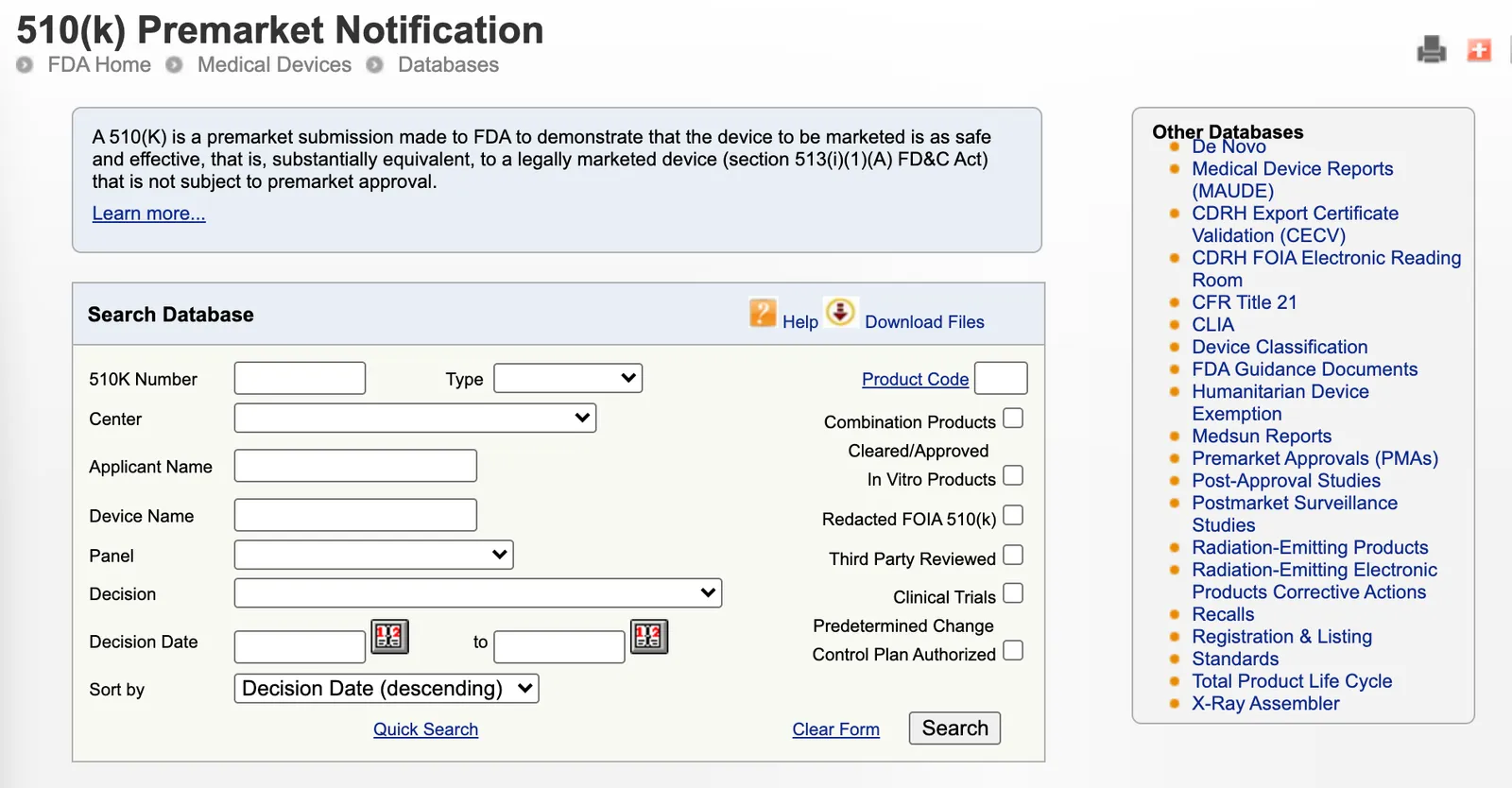
The FDA's own advice, from its guide on how to find and use predicate devices: "It is usually best to complete only one box in the online search form per search. The search engine searches for an exact match of text." Start with one field, read what comes back, then narrow.
Step 2: Search by device name
Type one descriptive word or a short phrase in Device Name. The box takes 20 characters at most.
It is the obvious place to start, and it misses the most records. The device name is whatever the company typed on its submission. Using openFDA, "infusion pump" in the device name matches 369 records. Only 303 of them carry product code FRN. The other 66 sit under other product codes. Meanwhile, FRN holds 849 records in total, so a name search misses more than 500 infusion pumps whose names read "Plum Duo Precision IV Pump", "Remunity 2.0 Pump" or "Halo II Ambulatory Infusion System".
Use device name search to find a product you already know by name, then note its product code and move to Step 3.
Step 3: Search by product code
A product code is the FDA's three-letter label for a generic device type. The FDA assigns one to every category, and per the FDA, searching by product code "is usually the most effective (leaving the other boxes blank)."
If you don't know the code, look it up in the Product Classification database. Search the device type, open the matching entry, and copy the code. The entry also gives you the regulation number, device class, review panel and a link to the Total Product Life Cycle report for that code.
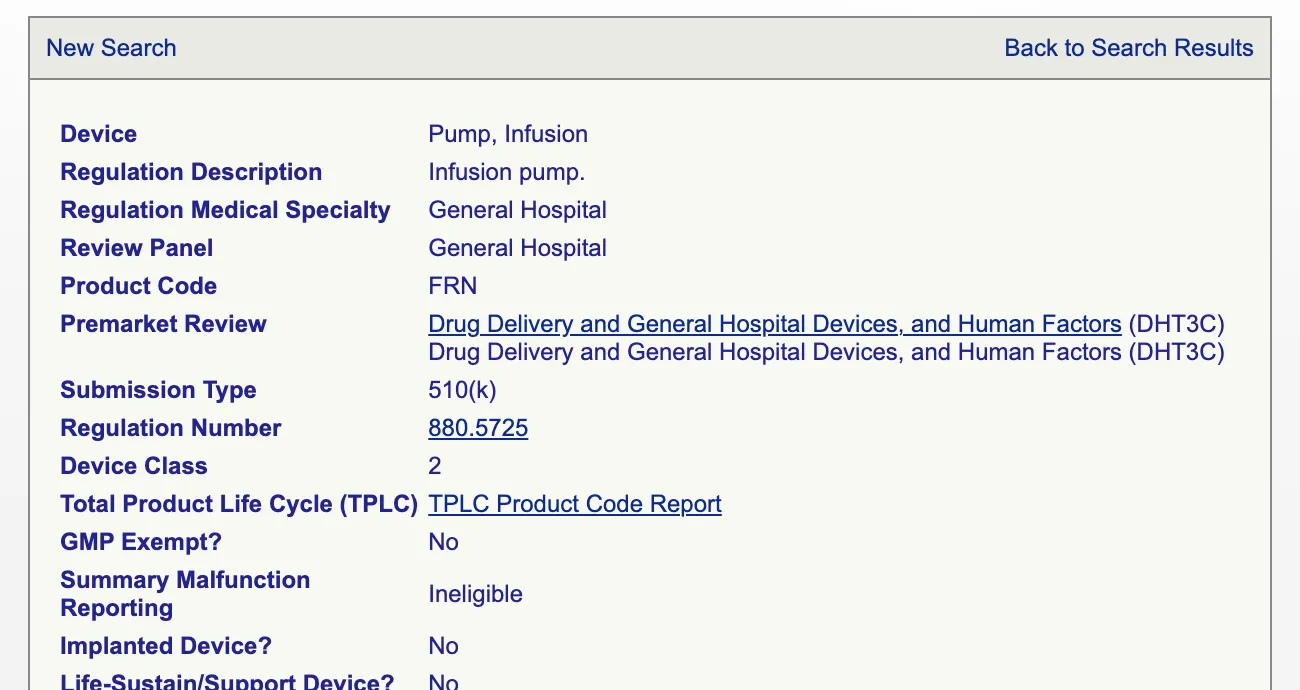
FRN is "Pump, Infusion": regulation 21 CFR 880.5725, Class 2, General Hospital panel, 510(k) submission type. Enter FRN in the Product Code box (3 characters), leave everything else blank, and search.
What comes back, per openFDA: 849 FRN 510(k)s, the oldest decided in August 1976. Sorted by decision date (the form's default), the most recent at the time of writing is K253703, DEKA's RemunityPRO+ Pump, decided July 24, 2026. The Product Code link next to the box on the search form opens the classification database too, so you rarely need to leave the page.
Step 4: Search by applicant
Applicant Name finds every clearance filed under a company name. The box takes 20 characters, and this is the search with the most traps.
The database stores the name exactly as it was typed on each submission. The FDA says so directly: the database "maintains the name of the original applicant and the original trade name provided in the 510(k). It is not updated to reflect the current owner or distributor of the product nor any changes in trade name." It also warns that "Hyphens or spaces in names can make a difference."
DEKA Research & Development appears in openFDA under six spellings across 30 records:
| Applicant name as recorded | Records |
|---|---|
| Deka Research and Development | 13 |
| Deka Research & Development Corp. | 10 |
| DEKA Research & Development | 3 |
| Deka Research and Development Corp. | 2 |
| Deka R&D Corp | 1 |
| Deka Research and Development Corporation | 1 |
Source: openFDA device/510k endpoint, search applicant:deka, count by applicant.exact. A seventh entity, Deka Integrated Solutions Corporation, also matched and is excluded here.
Baxter does the same thing on infusion pumps: 39 FRN records as "Baxter Healthcare Corp", 12 as "Baxter Healthcare Corporation" and 1 as "Baxter Corp." Acquisitions add another layer. BD's 2025 infusion pump clearance, K243855 for the "BD Alaris Infusion System with Guardrails Suite MX", is filed under the applicant name Carefusion 303, Inc.
The fix: search the shortest distinctive root of the name ("Deka", "Baxter"), then scan the results for subsidiaries and old names.
Step 5: Search by decision date range
The Decision Date boxes take a from-date and a to-date (MM/DD/YYYY, or use the calendar buttons). On its own, a date range returns every clearance in that window. Combined with a product code, it gives you the recent activity in one category.
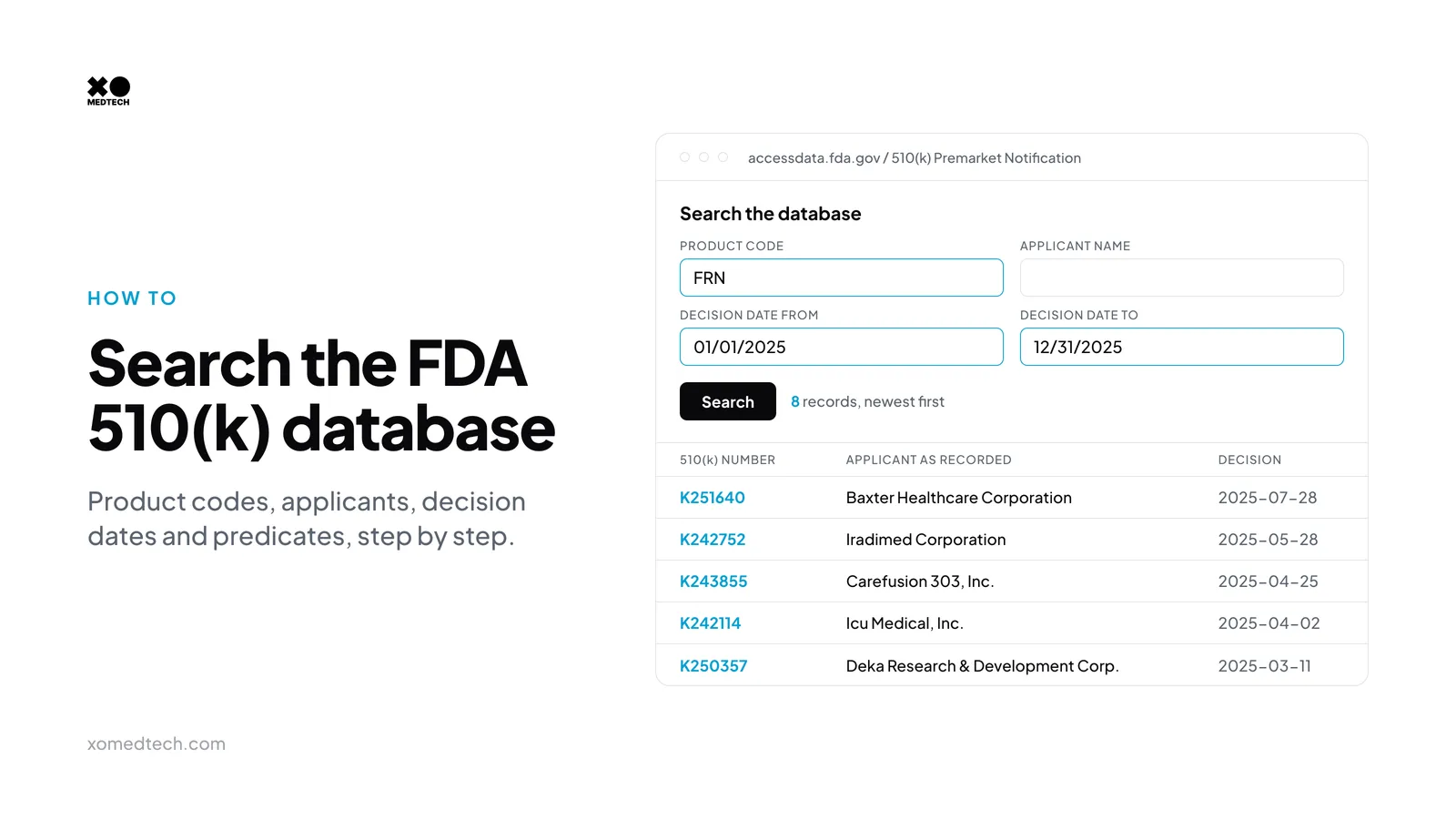
Product code FRN with decision dates from 01/01/2025 to 12/31/2025 returns 8 clearances in openFDA:
| 510(k) | Device name | Applicant as recorded | Decision date |
|---|---|---|---|
| K241736 | Remunity 2.0 Pump for Remodulin (treprostinil) Injection | Deka Research and Development Corp. | 2025-01-16 |
| K250357 | RemunityPRO Pump for Remodulin (treprostinil) Injection | Deka Research & Development Corp. | 2025-03-11 |
| K242114 | Plum Solo Precision IV Pump | Icu Medical, Inc. | 2025-04-02 |
| K242115 | Plum Duo Precision IV Pump | Icu Medical, Inc. | 2025-04-02 |
| K243855 | BD Alaris Infusion System with Guardrails Suite MX | Carefusion 303, Inc. | 2025-04-25 |
| K242752 | MRidium 3870 MRI Infusion Pump System (3870) | Iradimed Corporation | 2025-05-28 |
| K251636 | Spectrum IQ Infusion System with Dose IQ Safety Software (3570009) | Baxter Healthcare Corporation | 2025-07-28 |
| K251640 | SIGMA Spectrum Infusion Pump with Master Drug Library | Baxter Healthcare Corporation | 2025-07-28 |
Source: openFDA, search product_code:FRN AND decision_date:[20250101 TO 20251231]. The same filter returned 5 FRN clearances for 2024 and 42 for 2016 through Nov 2026.
Eight clearances in a year, mostly from large incumbents. That is a mature category. Run the same search on a newer product code and you will see small, unfamiliar applicants, which is where the sales use cases below come from.
Step 6: The remaining search fields
The form offers more than the five fields above. Here is every field and filter on the form as of Nov 19, 2026:
| Field | What it takes | When to use it |
|---|---|---|
| 510K Number | Up to 10 characters, e.g. K253703 | Jump straight to a known record |
| Type | Traditional, Special, Abbreviated | A Special 510(k) is for a change to the submitter's own legally marketed device |
| Product Code | 3 letters | The default way to search a category |
| Center | CDRH (devices) or CBER (biologics) | Split out 510(k)s reviewed by the biologics center |
| Applicant Name | Up to 20 characters | Every clearance under one company name |
| Device Name | Up to 20 characters | Find a known product, then get its code |
| Panel | 20 review panels, Anesthesiology to Molecular Genetics | Broad sweeps of a specialty |
| Decision | 10 decision codes, such as SESE (substantially equivalent) and SESK (kit) | Rarely needed; almost all records are SESE |
| Decision Date | From and to dates | Recent activity |
| Sort by | Decision date, device name, applicant or 510(k) number, ascending or descending | Default is newest first |
| Checkboxes | Combination Products, Cleared/Approved In Vitro Products, Redacted FOIA 510(k), Third Party Reviewed, Clinical Trials, Predetermined Change Control Plan Authorized | Narrow to special cases |
Two of the checkboxes deserve a sentence each. Third Party Reviewed limits results to submissions that went through the FDA's 510(k) Third Party Review Program, where an accredited organization reviews certain low-to-moderate risk devices before the FDA decides; 60 of the 3,225 decisions in 2025 carried that flag in openFDA. Predetermined Change Control Plan Authorized finds clearances that came with an FDA-authorized PCCP, a plan that lets the manufacturer make specific future changes without a new submission for each one.
The Quick Search link under the form runs a single free-text box. It returns at most 500 records, and the page says so when you hit the cap.
How to read a 510(k) record
Click any device name or 510(k) number in the results to open the record. Here is the full record for K253703.
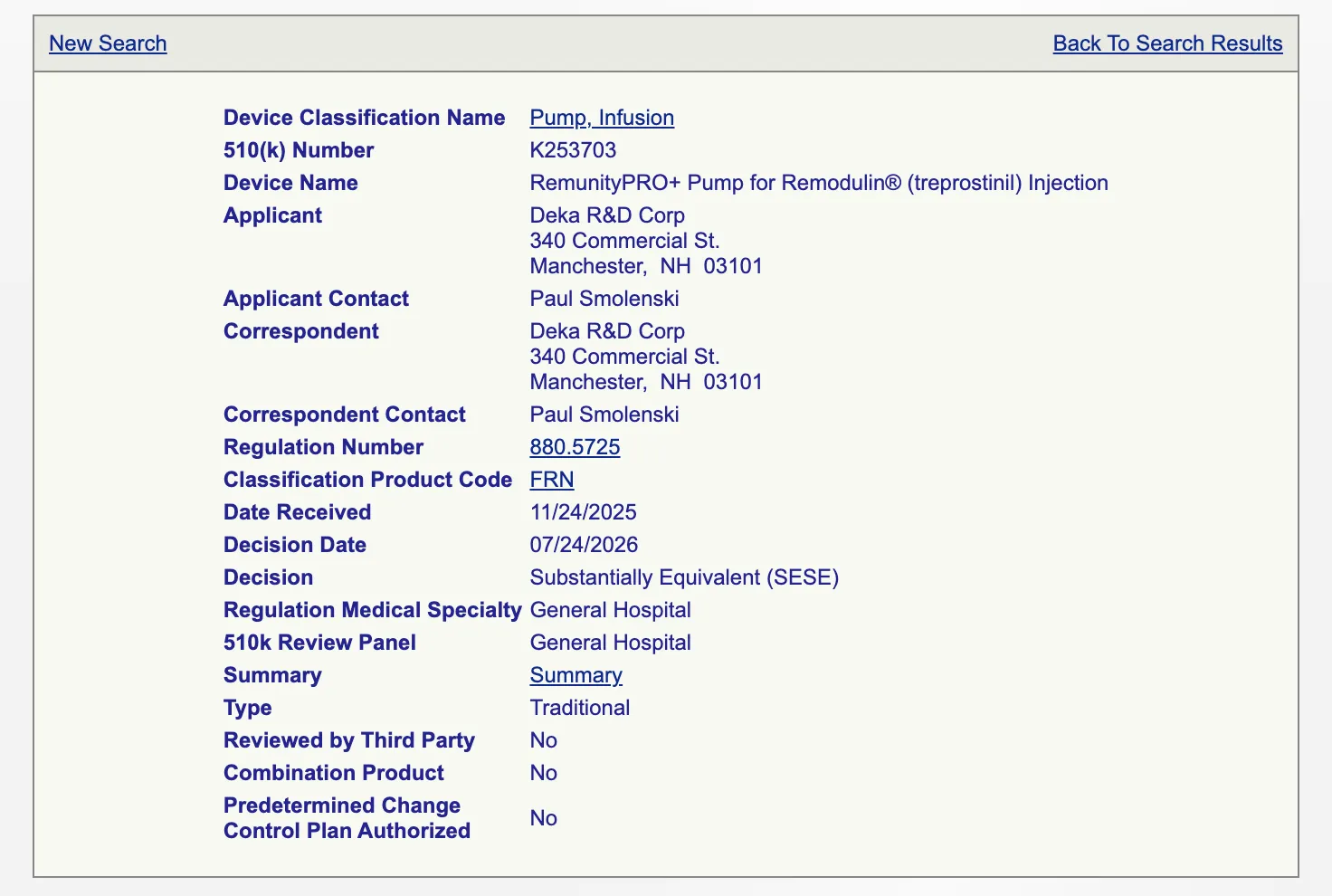
Every field, top to bottom:
- Device Classification Name: the generic name for the product code (Pump, Infusion), linked to the classification entry.
- 510(k) Number: the K-number. On every record we checked, the two digits after the K matched the year the FDA received the file; K253703 arrived in November 2025.
- Device Name: the trade name as submitted.
- Applicant and Applicant Contact: the company that owns the submission and the person named on it.
- Correspondent and Correspondent Contact: who handled the submission. Often the same company. When it is a regulatory consulting firm, you have learned who runs that company's regulatory work.
- Regulation Number and Classification Product Code: 880.5725 and FRN, both linked.
- Date Received: when the FDA logged the submission. K253703: Nov 24, 2025.
- Decision Date: when the FDA decided. K253703: July 24, 2026. This is the clearance date. The gap between the two is calendar time and includes any time the file sat on hold.
- Decision: Substantially Equivalent (SESE) for nearly every record.
- Regulation Medical Specialty and 510k Review Panel: the specialty and the panel that reviewed it.
- Summary or Statement: a link to the PDF. More on this below.
- Type: Traditional, Special or Abbreviated.
- Reviewed by Third Party, Combination Product, Predetermined Change Control Plan Authorized: yes or no flags.
Summary vs statement
Per the FDA's search page notes, "SUMMARY indicates that a summary of safety and effectiveness information is available from FDA" and "STATEMENT indicates that safety and effectiveness information may be obtained from the 510(k) applicant." In 2025, 3,082 of 3,225 decisions came with a summary and 114 with a statement (openFDA).
The PDF behind the Summary link is usually more than the summary. For K253703 it is a 9-page file: the FDA's clearance letter first, then the Indications for Use form, then the 510(k) summary itself.
Where the predicate is
The record page has no predicate field. The predicate is in the summary PDF, in a section headed "Predicate Device", along with the trade name, the K-number and often the clearance date.
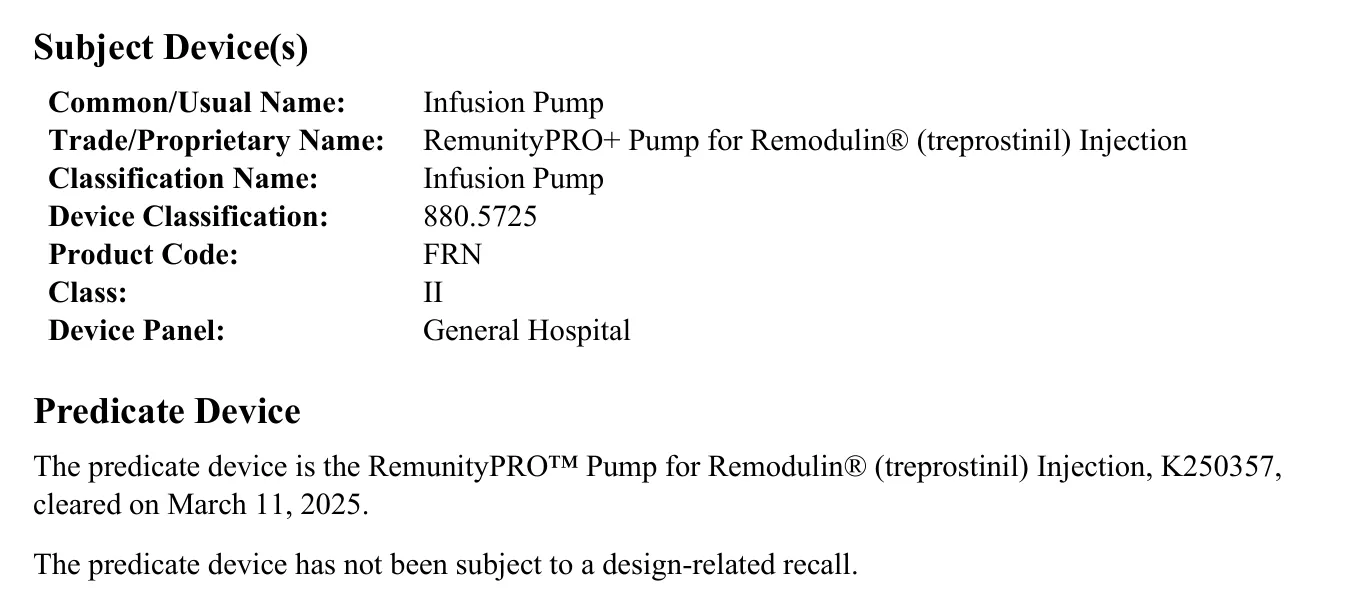
The summary lists the sponsor as "DEKA Research & Development", while the database record for the same submission says "Deka R&D Corp".
How to find predicates and build a predicate tree
A predicate tree is the chain you get by reading each summary, opening the predicate it names, and repeating. It shows how a product line evolved, which features got added when, and which competitor's device the whole line was originally compared against.
Here is the tree for K253703, built from five FDA summary PDFs:
| Step | 510(k) | Device | Applicant as recorded | Decision date | Type |
|---|---|---|---|---|---|
| Subject | K253703 | RemunityPRO+ Pump for Remodulin (treprostinil) Injection | Deka R&D Corp | 2026-07-24 | Traditional |
| Predicate | K250357 | RemunityPRO Pump for Remodulin (treprostinil) Injection | Deka Research & Development Corp. | 2025-03-11 | Special |
| Its predicate | K241736 | Remunity 2.0 Pump for Remodulin (treprostinil) Injection | Deka Research and Development Corp. | 2025-01-16 | Traditional |
| Its predicate | K190182 | Unity Subcutaneous Delivery System for Remodulin | DEKA Research & Development | 2019-05-06 | Traditional |
| Its predicate | K051568 | CADD-MS 3 Ambulatory Infusion Pump | Smiths Medical MD, Inc. | 2005-11-17 | Traditional |
Each predicate is taken from the "Predicate Device" section of the summary one row up. Decision dates and types from the FDA 510(k) records via openFDA.
Read it bottom to top and you get the story. DEKA's first pump in this line was cleared in 2019 against a Smiths Medical ambulatory pump from 2005. Each later version used DEKA's own previous clearance as its predicate. The K250357 step was a Special 510(k), received Feb 7, 2025 and decided Mar 11, 2025, which fits a change to the company's own device.
Summaries can also name reference devices, which support a method or a value without being the predicate. K241736's summary names two: the DEKA ACE Pump System (K233952) for its cassette and pump hardware, and the Remunity System (K240256) for its remote interface hardware. The FDA notes that "Manufacturers must identify a primary predicate device" and may name reference devices for scientific methods or standard values.
Two tips for building trees fast. Note each K-number as you go, because summaries cite predicates by K-number and the 510K Number field takes you straight there. And if you need a PDF without the record page, the link follows a pattern: the K253703 summary lives at accessdata.fda.gov/cdrh_docs/pdf25/K253703.pdf.
Who uses the 510(k) database, and for what
Founders: regulatory strategy
Founders use it to pick a predicate, size the evidence they will need, and see how long similar devices took. Search the product code, read the last five years of summaries, and list the predicates competitors chose and the testing they cited. The decision date minus the date received gives you a rough calendar time per clearance. If no product code fits and nothing on record is close, that points toward De Novo.
Investors: diligence and competitive mapping
Investors use it to check a company's claims. Has it cleared anything? Was the predicate its own earlier device or a competitor's? How many companies cleared devices under the same code in the last three years? A code like FRN, with eight clearances in 2025 mostly from incumbents, is a different market from a code with two clearances a year, both from startups.
CDMOs and suppliers: finding companies at a manufacturing milestone
This is the use case I care about most. A 510(k) clearance means a device can be sold in the U.S. For a small or early-stage company, that usually means pilot builds are about to become production lots, and suppliers are being chosen or re-chosen. A list of recent clearances in the product codes you can build is a list of companies with a new manufacturing problem.
How to run it:
- List the product codes that match what you manufacture: the catheter codes if you braid shafts, the infusion and drug delivery codes if you mold fluid paths.
- Search each code for the last 90 days of decision dates.
- Skip the large incumbents you already know. Keep the unfamiliar applicants.
- Check the Type. A Traditional 510(k) from a small applicant is often a first product. A Special 510(k) is a change to the company's own cleared device, which can mean a design, material or supplier change.
- Open the summary and read the device description for materials and processes you run.
- Check the correspondent. A regulatory consulting firm there often points to a small team without in-house regulatory staff.
A clearance is one signal. Pair it with funding, trials and hiring, and you get a much better read on timing. Our guide to medical device buying signals for CDMOs covers the full set and how long each window stays open. If the company is a large OEM, the same clearance tells you which division is active; our guide on how to sell to medical device OEMs covers working those accounts division by division.
The registries around it
The 510(k) database answers "what got cleared." Five other public registries answer the questions around it:
| Question | Registry | What it shows |
|---|---|---|
| Who is still in development? | ClinicalTrials.gov | Device studies by sponsor, with status and dates |
| Who has non-dilutive funding? | NIH RePORTER | SBIR and STTR awards by company, amount and phase |
| Who raised private money? | SEC EDGAR | Form D notices, filed within 15 days of the first sale in an exempt offering |
| Who is filing IP? | USPTO Patent Public Search | Granted patents and applications by assignee |
| What is going wrong in the field? | MAUDE | Adverse event reports by device and manufacturer |
Form D timing from the SEC's Filing a Form D Notice page, accessed Nov 19, 2026.
A company that shows up in two of these in the same year is usually an active, funded program. Each registry names companies its own way, so tying the records to one company is most of the work, and it is the work XO Medtech does when it builds a prospect list for a client. For examples, see our breakdown of Q3 SBIR and STTR medical device awards and our analysis of FDA MAUDE adverse events at the largest OEMs.
Bulk downloads and the openFDA API
The FDA also publishes the 510(k) records in bulk. The Downloadable 510(k) Files page has zipped files covering 1976 to the current month, each record a fixed 272-character line, and the FDA says the files "are replaced monthly usually on the 5th of each month." The openFDA 510(k) API returns the same records as JSON, lists its coverage as 1976 to the present, updates monthly and returns up to 1,000 records per call. The counts above came from it.
Bulk data has the same gaps as the form. There is no predicate field and no flag for the Clinical Trials checkbox, so the predicate still means opening PDFs. Applicant names still come in many spellings. A clearance record names a company but not the people at it, so turning a list of K-numbers into accounts and contacts is a separate research job.
That job, run every week across the product codes you can build, is what our Campaigns product does for medical device CDMOs, contract manufacturers and suppliers.
Common mistakes
- Searching brand names only. The device name field holds whatever the applicant typed. Search the product code and you catch every name.
- Ignoring product codes. The FDA's own guidance says product code is usually the most effective search. If you sell into a category, you should know its codes by heart.
- Confusing cleared with approved. A 510(k) device is cleared. A PMA device is approved. A De Novo is granted. Saying "FDA approved" about a 510(k) device is wrong, and regulatory people notice.
- Missing name variants of an applicant. DEKA alone has six spellings on record. Search the shortest root, and remember the database keeps the original applicant name after an acquisition.
- Reading the decision date as the launch date. Clearance means the device may be marketed. It says nothing about when sales start or who builds it.
- Looking for the predicate on the record page. It is in the summary PDF. If the record shows a Statement instead, the predicate details come from the applicant.
Key takeaways
- The FDA 510(k) database is free, holds clearances back to 1976, and is updated weekly per the FDA's database list.
- Search by product code first. Device names and applicant names vary from one filing to the next.
- The record gives you who, what, when and the type. The summary PDF gives you the predicate and the device description.
- A predicate tree, built by following K-numbers through summaries, shows how a product line evolved and whose device it started from.
- For CDMOs and suppliers, recent clearances in the product codes you can build are a dated list of companies with a new manufacturing need.
Frequently asked questions
Is the FDA 510(k) database free?
The FDA 510(k) database at accessdata.fda.gov is free to search and needs no account. The FDA also publishes the same records as free zipped download files and through the openFDA API, which you can call without an API key.
How often is the 510(k) database updated?
The FDA's Medical Device Databases page lists the 510(k) database as updated once a week. The downloadable 510(k) files are replaced monthly, usually on the 5th of the month, and openFDA lists its 510(k) API as updated monthly. A clearance can show up in the web search before it reaches the files or the API.
How do I find a predicate device?
Search the 510(k) database by your device's product code, open recent clearances and click the Summary link on each record. The 510(k) summary PDF has a Predicate Device section that names the predicate and its K-number. The database record page itself does not list the predicate, so the summary is where you look.
What is the difference between FDA cleared and FDA approved?
A device that passes the 510(k) pathway is cleared, meaning the FDA found it substantially equivalent to a legally marketed predicate device. A device that passes premarket approval (PMA) is approved, meaning the FDA found sufficient valid scientific evidence that a Class III device is safe and effective. A De Novo request is granted, which gives a novel low-to-moderate risk device marketing authorization.
Can I download 510(k) data?
You can download 510(k) data from the FDA's Downloadable 510(k) Files page, which has zipped files from 1976 to the current month, with a published file layout, replaced monthly. The openFDA 510(k) API returns the same records as JSON, up to 1,000 records per call, and covers 1976 to the present.
How long does 510(k) review take?
The FDA's goal under MDUFA V is a decision on 95% of 510(k)s within 90 FDA days, and FDA days do not count time a submission sits on hold waiting for the submitter. Total calendar time runs longer. The FDA's FY 2025 MDUFA Performance Report, with data as of September 30, 2025, shows an average total time to decision of 139 days for 510(k)s received in FY 2024, against a shared goal of 124 days.
Sources
- FDA, 510(k) Premarket Notification database, accessed Nov 19, 2026
- FDA, Medical Device Databases, accessed Nov 19, 2026
- FDA, How to Find and Effectively Use Predicate Devices, accessed Nov 19, 2026
- FDA, 510(k) Submission Process, accessed Nov 19, 2026
- FDA, FY 2025 MDUFA Performance Report to Congress, data as of Sep 30, 2025
- FDA, Downloadable 510(k) Files, accessed Nov 19, 2026
- openFDA, Device 510(k) API, data last updated Nov 9, 2026
Get new 510(k) clearances matched to your capabilities
Searching the 510(k) database by hand works for a few product codes. Campaigns and Org Map are XO Medtech's prospecting products for medical device CDMOs, contract manufacturers and suppliers: Campaigns for startup, small, mid-size and growth-stage device companies, and Org Map for large strategic OEMs.
Each campaign starts from what you manufacture and finds the device companies that fit, including companies surfaced through new FDA clearances, NIH grants and clinical trial registries. Every account comes with several decision-makers, a 0-to-100 fit score, the dated signals behind the match and a drafted outreach email. Sequences go out from your own CRM: XO Medtech integrates with HubSpot, Salesforce, Attio and Pipedrive, and adds other CRMs on request. Get new 510(k) clearances matched to your capabilities.
Related reading
Related articles
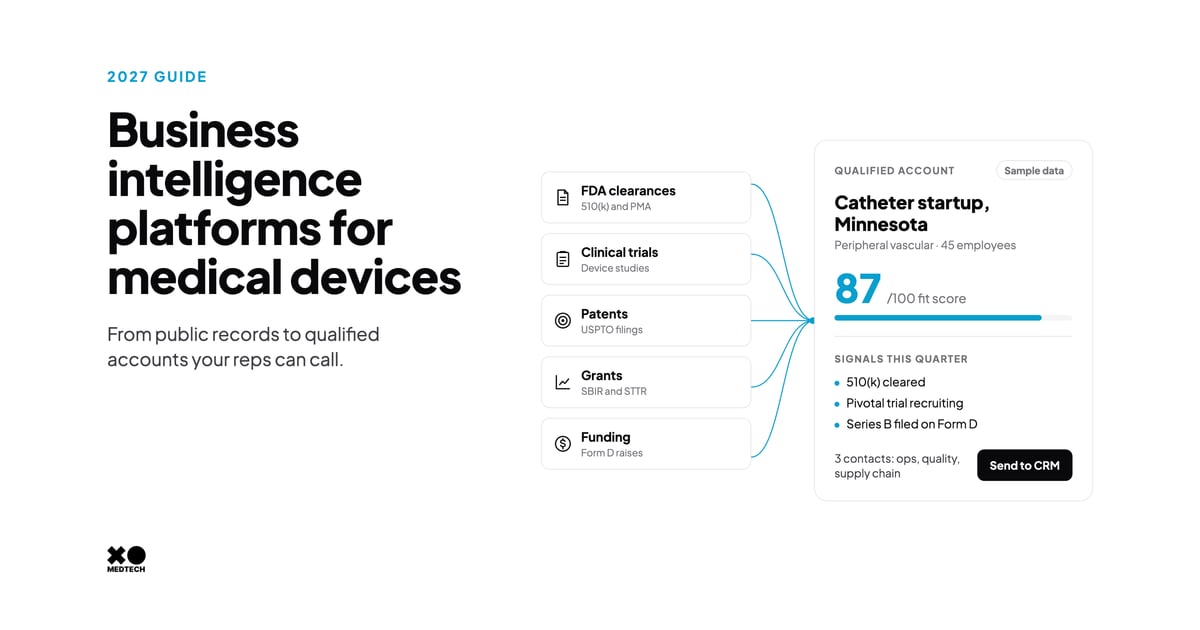
Best Business Intelligence Platforms for Medical Devices in 2027
7 best business intelligence platforms for medical device companies and suppliers: market data, FDA and trial tracking, funding, sales intelligence and prices.
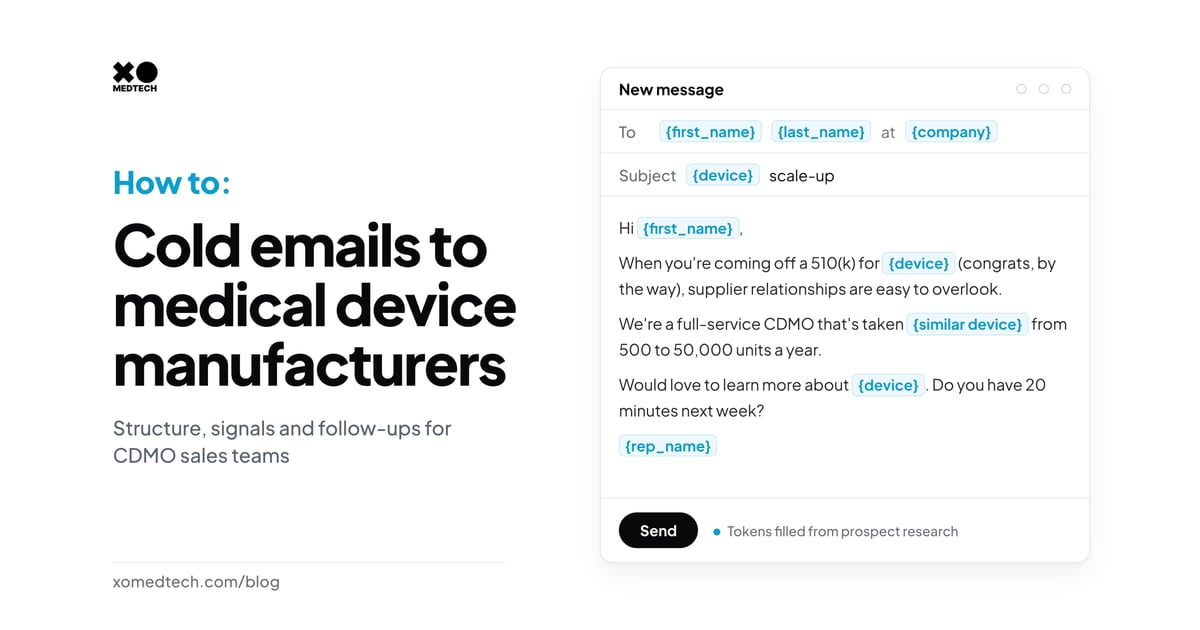
How to Write Cold Emails for Medical Device CDMO Sales: Structure, Signals and Follow-Ups That Get Replies
How to write cold emails medical device engineers and supply chain leaders answer: a 4-part structure, true signals and a follow-up cadence with LinkedIn.
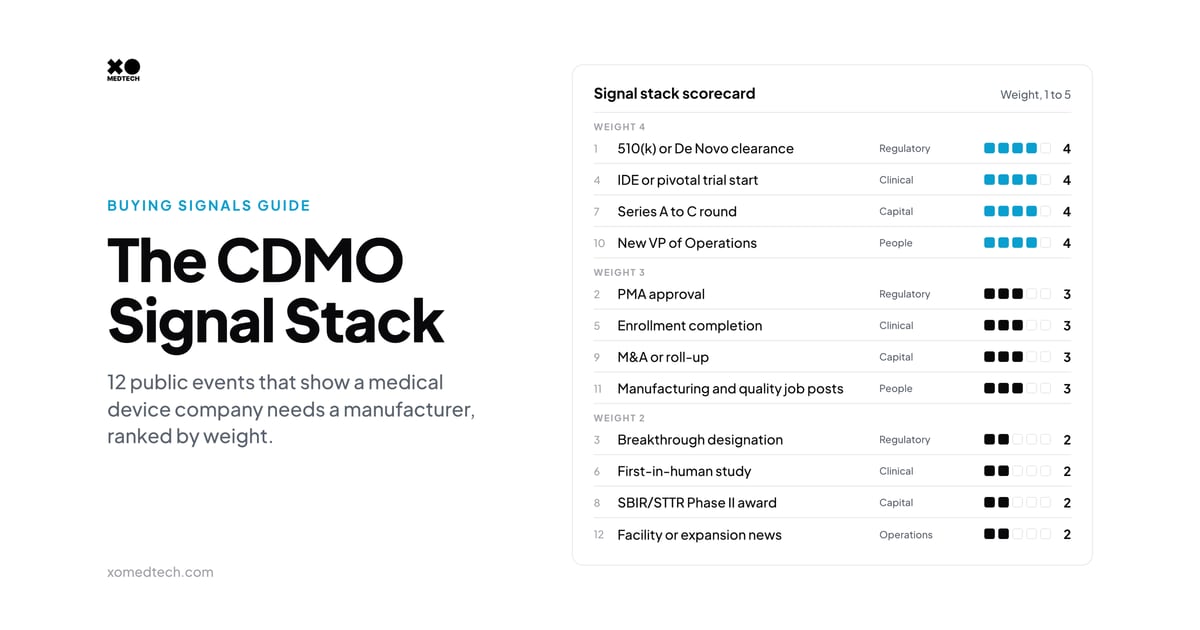
The CDMO Signal Stack: 12 Buying Signals That Show a Device Company Needs a Manufacturer
The 12 buying signals that tell a medical device CDMO a company needs a manufacturer, how long each window lasts, and how XO Medtech scores and uses them.